Notable Features
- Fast, highly customizable ImGui based interface.
- Changes sent from the server efficiently update the GUI in real time using an asynchronous event loop system.
- Custom string formatter used anywhere information about a song is displayed, for total customization.
"%album% - %artist% ($year(%date%))"anyone?
Roadmap
- Make some cool audio visualizers. With full access to an OpenGL context through GLFW, the possibilities are endless.
- Create a super-fast album artwork grid view. Album artwork isn’t something that changes often, so it could be quite well suited to cached texture atlases.
- Implement a plugin API and loading system.
Gallery
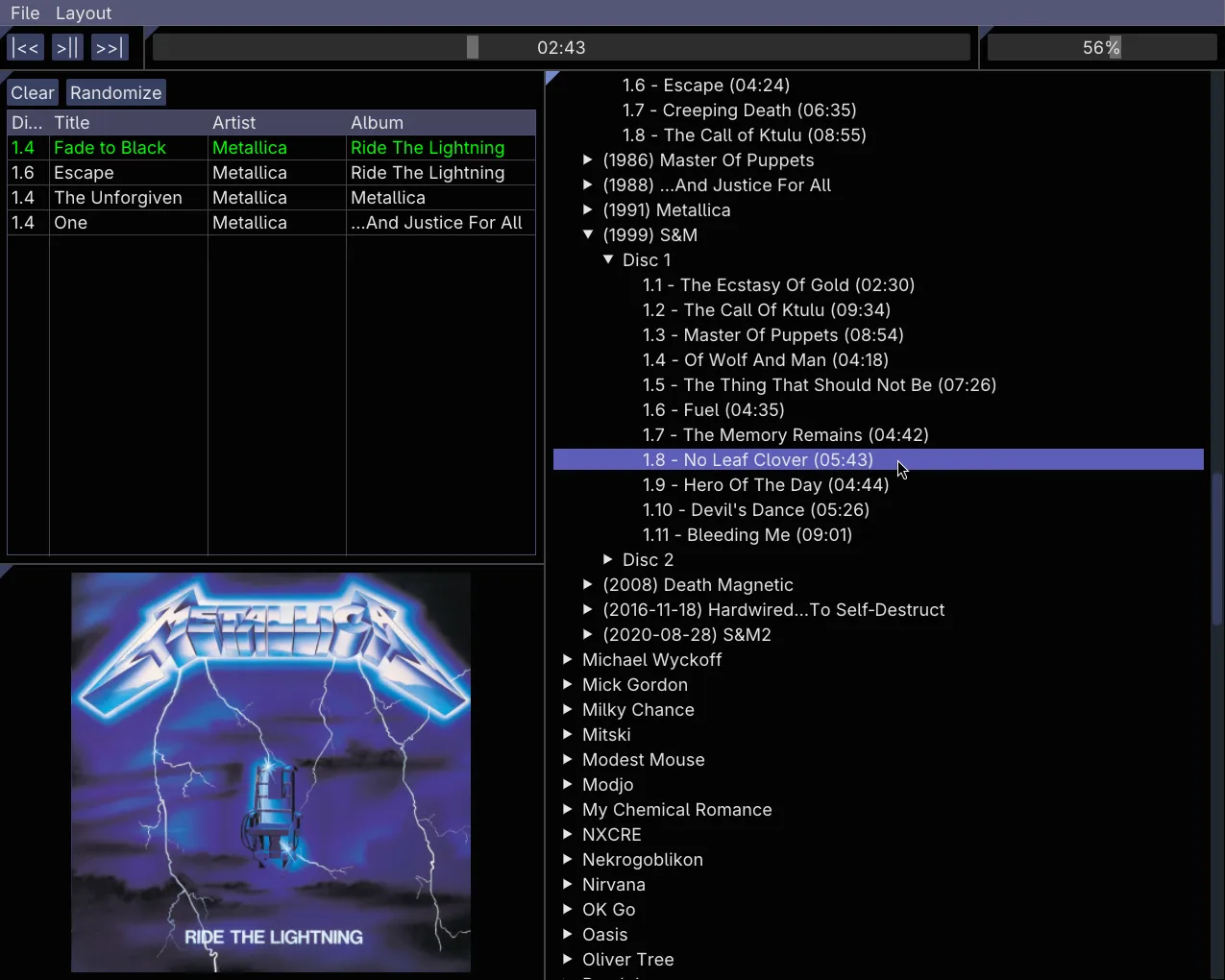
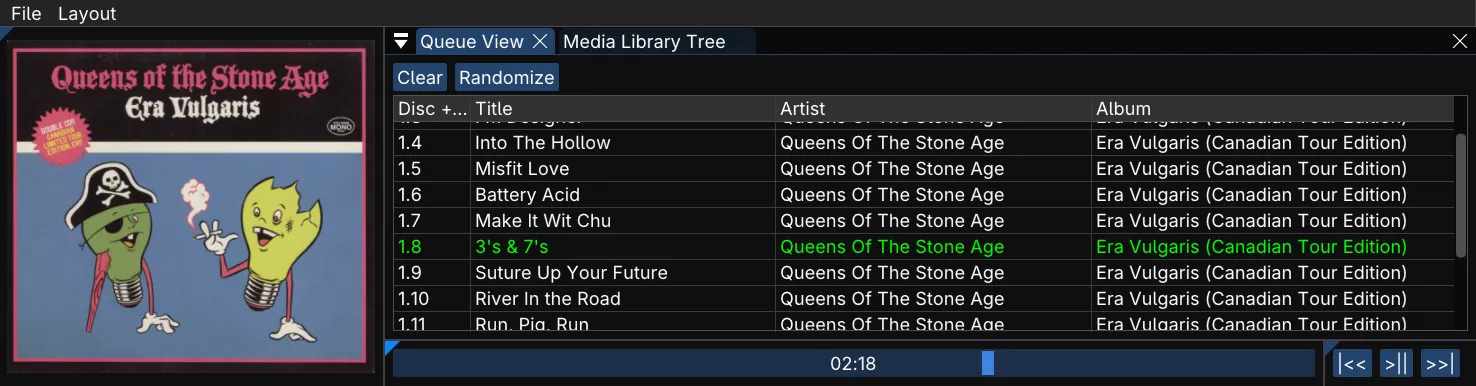
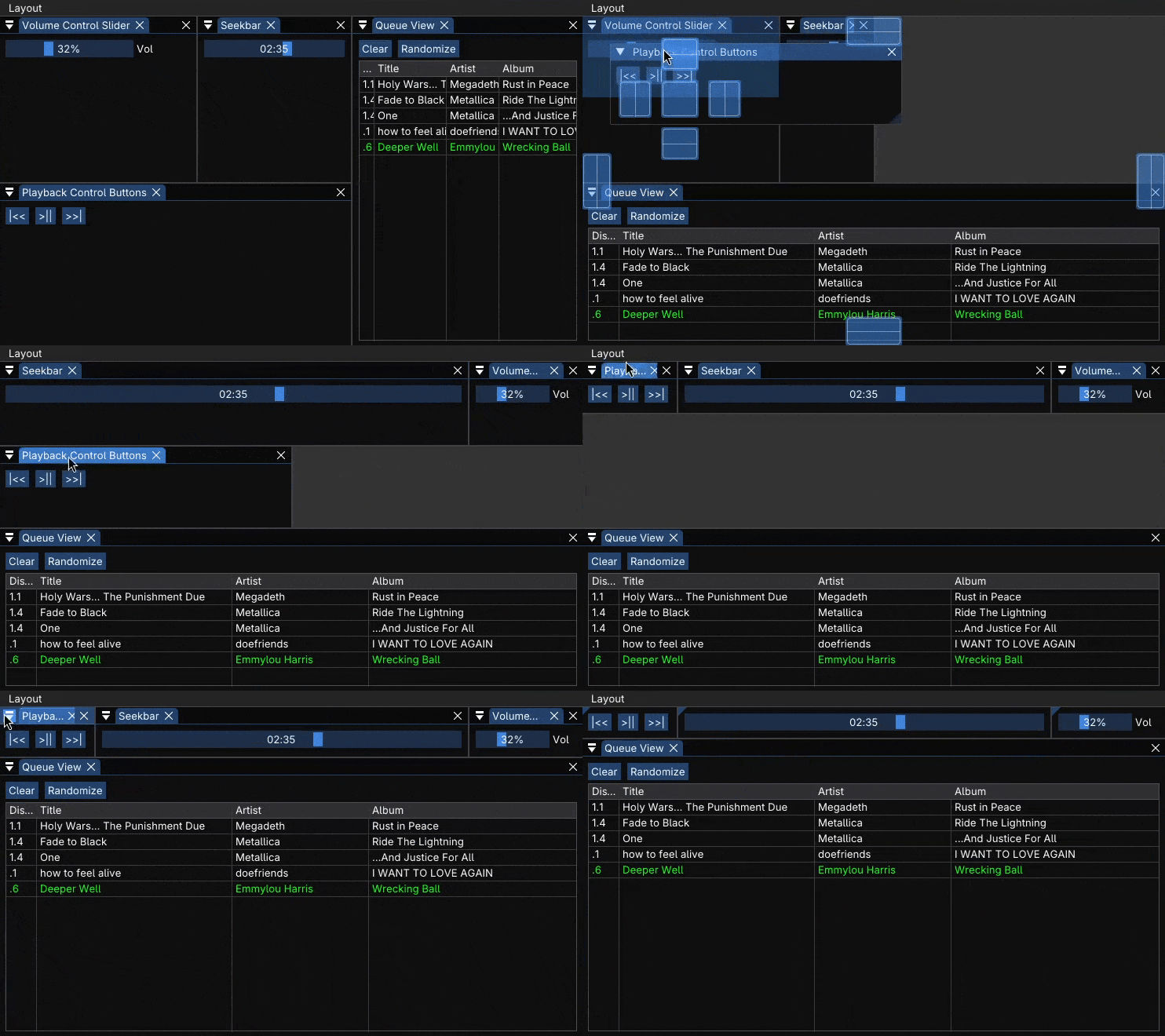 Every GUI component is a window that can be arranged using ImGui’s excellent docking system.
Motivation
When I switched from Windows to Linux (I use Arch Fedora btw), one of the first questions I faced was what I would use as a replacement for the legendary foobar2000 music player. I stuck with it because its plain Win32 GUI was plenty customizable and never got in the way, and it had a mature plugin ecosystem. On Linux, foobar mostly works under Wine, but not quite as well as I had hoped, mainly regarding plugin support. I decided to try some native Linux players, of which there is a healthy selection, but none of them quite scratched the itch for me.
I thought to myself that it would be cool to make my own music player with the exact kind of interface I wanted, but the actual playback and library management part is probably more trouble than it’s worth. I soon learned that someone had already solved half of my dilemma by creating Music Player Daemon (MPD). As the name implies, MPD runs as a background process with no GUI and plays music. In fact, it has no included interface of any kind; the only way to control it is to connect to it via TCP or a local socket and send commands using a simple text-based protocol. It takes care of playback and managing a database of the music library, and you’re in charge of how to control it. My prayers had been answered!